


Quick Summary
- Direct sign-up for WhatsApp on iPad is now available.
- Revamped CarPlay experience enhances usability for drivers.
- New PDF editing features streamline document sharing.
- These updates aim to improve overall user experience.
- WhatsApp continues to innovate with device-specific features.
WhatsApp has rolled out a direct WhatsApp iPad sign-up feature, allowing users to easily register on their iPads. This update comes alongside a revamped CarPlay experience and new PDF editing tools, enhancing usability across devices.
These changes reflect WhatsApp's commitment to improving user experience, especially as more people rely on mobile applications for communication and productivity.
WhatsApp iPad Sign-Up: A Game Changer for Users
Previously, iPad users could only access WhatsApp through web browsers or by using the desktop app. The new direct sign-up feature eliminates this inconvenience, allowing users to register directly on their iPads. This move aligns with WhatsApp's strategy to enhance accessibility and user engagement.
To register, users simply need to download the WhatsApp app from the App Store, enter their phone number, and follow the on-screen prompts. This streamlined process significantly reduces the steps required to start using WhatsApp on an iPad.
This update is part of a broader trend where messaging apps are optimizing their platforms for various devices. For instance, WhatsApp's recent username feature aimed to simplify account management, indicating a focus on user-friendly design.
Revamped CarPlay Experience: What’s New?
Alongside the iPad sign-up, WhatsApp has revamped its CarPlay experience. Users can now access WhatsApp features directly from their car’s dashboard, enhancing safety and convenience while driving.
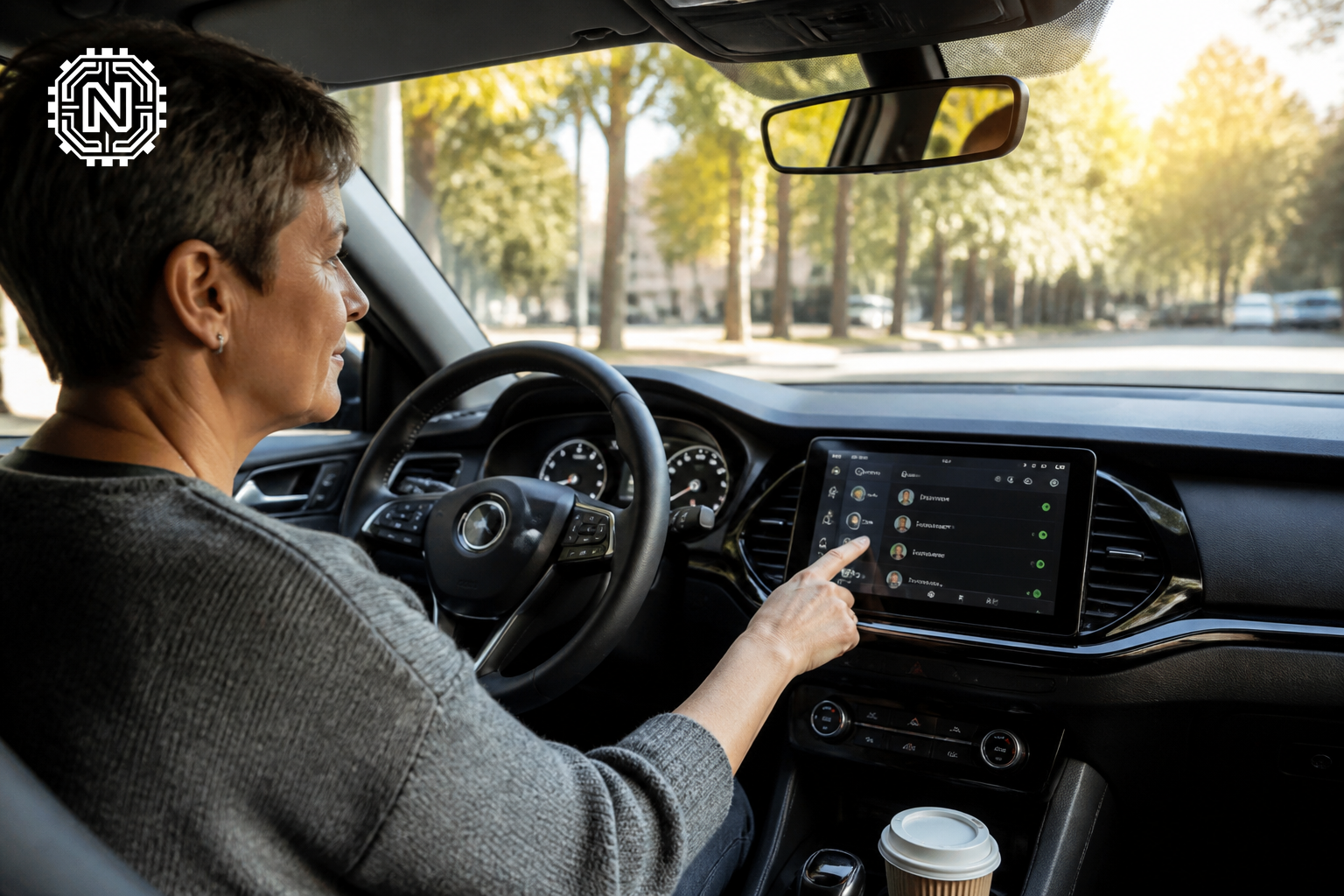
This new interface allows drivers to send and receive messages using voice commands, minimizing distractions. The update also supports larger screen displays, ensuring that notifications and messages are easy to read at a glance.
With the increasing integration of technology in vehicles, WhatsApp's CarPlay update reflects the company's commitment to providing a safer driving experience. Users can seamlessly connect their devices, making it easier to stay in touch while on the road.
PDF Editing Features: Enhancing Document Management
WhatsApp has also introduced new PDF editing features, aimed at enhancing document management directly within the app. Users can now annotate, highlight, and edit PDF files before sharing them with contacts.
This functionality is particularly beneficial for professionals who frequently share documents. By integrating these editing tools, WhatsApp positions itself as a more versatile platform for communication and collaboration.
Users can access these features by opening a PDF file in a chat and selecting the editing options available. This addition is a significant step towards making WhatsApp not just a messaging app but a comprehensive tool for productivity.
Why These Updates Matter Now
The timing of these updates is crucial as more users shift to mobile devices for both personal and professional communication. With the rise of remote work, features that enhance usability and efficiency are in high demand.

WhatsApp's focus on improving user experience across different platforms reflects the competitive landscape of messaging apps. Companies like Telegram and Signal are also enhancing their features, making it essential for WhatsApp to innovate continually.
These updates not only cater to existing users but also aim to attract new ones who seek comprehensive communication solutions. As mobile usage continues to rise, WhatsApp’s adaptability will be key to maintaining its user base.
Looking Ahead: What’s Next for WhatsApp?
As WhatsApp continues to roll out new features, users can expect more integrations and enhancements tailored to their needs. Future updates may include improved security features, additional editing tools, and better cross-platform synchronization.
With ongoing developments in AI and machine learning, WhatsApp might also explore smarter functionalities, such as automated responses and enhanced personalization. Keeping pace with technological advancements will be critical for WhatsApp's growth.
For users interested in the latest gadgets and tech updates, the recent latest gadgets of July 2026 highlight how rapidly technology is evolving, further emphasizing the need for apps to stay relevant.
Conclusion
WhatsApp's direct iPad sign-up, revamped CarPlay experience, and new PDF editing features represent significant strides in enhancing user engagement and productivity. These updates underscore WhatsApp's commitment to evolving with user needs and technological advancements.
Frequently Asked Questions
How do I sign up for WhatsApp on my iPad?
To sign up for WhatsApp on your iPad, download the app from the App Store and follow the on-screen instructions to register.
What is the new CarPlay experience in WhatsApp?
WhatsApp's revamped CarPlay experience allows users to easily access messages and calls directly from their car's dashboard interface.
Can I edit PDFs in WhatsApp?
Yes, WhatsApp now includes features that allow users to edit PDF documents directly within the app.
Is the WhatsApp iPad sign-up feature available globally?
Yes, the direct sign-up feature for WhatsApp on iPad is available to users worldwide.
What are the benefits of using WhatsApp on an iPad?
Using WhatsApp on an iPad provides a larger screen experience for messaging, video calls, and document sharing.
Do I need a phone number to use WhatsApp on iPad?
Yes, you'll need a valid phone number to register and use WhatsApp on your iPad.
Will my chats sync between iPad and phone?
Yes, WhatsApp chats will sync across devices as long as you use the same account.
What are the system requirements for WhatsApp on iPad?
WhatsApp requires iOS 12 or later to function properly on an iPad. For more on Apps & Software, explore Newtechzy. You can also review our Privacy Policy and Cookie Policy, or learn more About us.
Related Topics
Stay updated on the latest tech developments. Explore more about WhatsApp's features and how they can enhance your communication experience.
Start Your Journey Today!


