


Quick Summary
- Best overall workspace: Notion for notes, projects, databases, and team knowledge.
- Best free-form notebook: Microsoft OneNote for typing, handwriting, media, and flexible page layouts.
- Best for local Markdown: Obsidian for privacy-conscious users and connected personal knowledge bases.
- Best for quick capture: Google Keep; best for Apple users: Apple Notes; best minimalist writer: Bear.
- Evernote remains useful for web clipping and document-heavy organization, but its free and paid-plan limits should be checked before committing.
The best note-taking app in 2026 depends less on which product has the longest feature list and more on how you capture, organize, retrieve, and share information. A student taking handwritten lecture notes has different needs from a researcher building a connected knowledge base, a manager maintaining team documentation, or an Apple user who wants fast notes across an iPhone and Mac.
This comparison covers seven established options: Notion, Microsoft OneNote, Obsidian, Evernote, Google Keep, Apple Notes, and Bear. The recommendations are based on current official product pages and help documentation, with particular attention to organization, offline access, collaboration, export options, platform support, privacy, and plan limitations. Explore more Apps & Software coverage on Newtechzy.
Important Pricing Note
Plan names, AI allowances, storage limits, regional prices, and subscription features can change. Check the official pricing page for your country before purchasing a long-term plan.
Best Note-Taking Apps in 2026: Quick Comparison
| App | Best For | Free Use | Key Strength | Main Limitation |
|---|---|---|---|---|
| Notion | All-in-one workspaces and teams | Yes, with plan limits | Notes, databases, tasks, templates, and collaboration in one system | Can feel complex for simple note-taking |
| Microsoft OneNote | Students, handwriting, and flexible notebooks | Yes; some premium features require Microsoft 365 | Free-form pages, ink, attachments, notebooks, and broad device support | Organization can become messy without a clear notebook structure |
| Obsidian | Personal knowledge management and local files | Yes; Sync and Publish are optional paid services | Local Markdown files, backlinks, graph view, and plugins | Collaboration is less immediate than cloud-first team tools |
| Evernote | Web clipping, scans, and document-heavy notes | Yes, with meaningful limits | Mature clipping, search, attachments, and organization tools | Free-tier limits may be restrictive for active users |
| Google Keep | Fast notes, checklists, and reminders | Yes with a Google account | Very quick capture and simple sharing | Limited structure for large research or long-form projects |
| Apple Notes | iPhone, iPad, and Mac users | Included with Apple devices and iCloud | Deep Apple integration, tags, scanning, handwriting, and sharing | Best experience remains inside the Apple ecosystem |
| Bear | Focused writing on Apple devices | Yes; Pro adds sync and advanced features | Clean interface, tags, Markdown support, and strong export options | Primarily designed for Apple platforms |
Best Picks by User Type
- Students: OneNote for lecture notes and handwriting; Notion for study planning and databases.
- Writers: Bear for focused writing; Obsidian for linked research and long-term knowledge.
- Teams: Notion for shared documentation, projects, and structured information.
- Fast everyday notes: Google Keep or Apple Notes.
- Web research and document capture: Evernote.
How We Evaluated the Best Note-Taking Apps
This is a feature and documentation comparison, not a claim that every app was tested under every operating system, subscription, and regional configuration. We evaluated each option using criteria that matter in everyday use:
- Capture: typed notes, checklists, images, handwriting, audio, attachments, and web content.
- Organization: folders, notebooks, tags, backlinks, databases, search, and filters.
- Access: supported platforms, browser availability, offline behavior, and syncing.
- Collaboration: sharing, editing permissions, comments, and team workspaces.
- Portability: export formats, local-file ownership, and migration options.
- Value: usefulness of the free tier and whether paid features solve a real need.
- Privacy: where notes are stored, account requirements, encryption options, and third-party integrations.

1. Notion — Best Overall Note-Taking Workspace
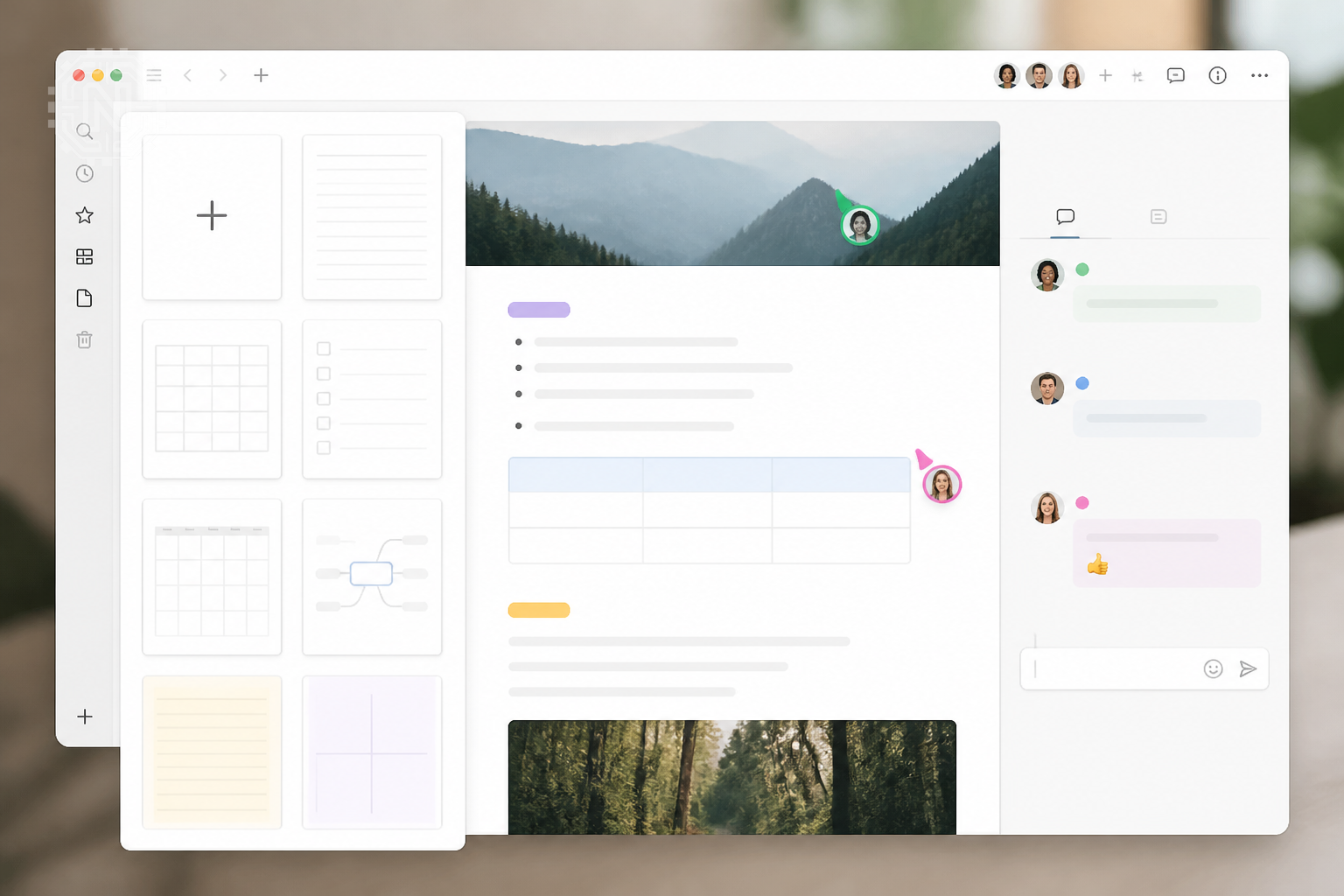
Notion is the most versatile option in this list for users who want notes to connect with projects, tasks, databases, wikis, calendars, and team documentation. A page can remain a simple document or become part of a structured system with properties, views, relations, templates, and permissions.
Why Notion Stands Out
- Combines documents, databases, task tracking, and shared knowledge in one workspace.
- Offers flexible templates for meeting notes, content calendars, project plans, and study systems.
- Supports real-time collaboration, comments, mentions, permissions, and public sharing.
- Includes built-in AI features on eligible plans, while free and lower-tier users may receive limited trial access.
Best for: startups, small teams, creators, students who enjoy structured systems, and professionals who want notes connected to projects.
Consider another app when: you only need instant notes, prefer local files by default, or do not want to spend time designing a workspace.
2. Microsoft OneNote — Best Free-Form Digital Notebook
Microsoft OneNote closely resembles a physical binder. You can create notebooks, divide them into sections, add pages, type anywhere on a canvas, draw with a stylus, attach files, record information, and mix text with images or handwriting. Microsoft states that supported OneNote versions are free to download and use, while selected premium capabilities are tied to Microsoft 365.
Why OneNote Is Excellent for Students
- Free-form page layout works well for lecture notes, diagrams, equations, screenshots, and annotations.
- Notebook, section, and page hierarchy is easy to understand.
- Strong Windows and Microsoft 365 integration makes it practical for school and office environments.
- Sharing and collaborative editing support group projects and meeting notes.
Best for: students, teachers, Windows users, stylus users, and people who prefer notebooks over database-style organization.
Watch for: large notebooks can become difficult to navigate if naming, sections, and tags are inconsistent.
3. Obsidian — Best for Local Markdown Notes and Knowledge Graphs
Obsidian stores notes as Markdown files in a local folder called a vault. That makes it attractive to users who value file ownership, long-term portability, and the ability to work without depending on a proprietary cloud database. Its backlinks and graph tools help reveal connections between notes, which is useful for research, writing, and personal knowledge management.
Why Obsidian Is Different
- Notes remain standard Markdown files that can be opened with other compatible editors.
- Backlinks, links between notes, tags, and graph views support connected thinking.
- A large plugin ecosystem can add calendars, task systems, databases, drawing, publishing, and other workflows.
- The core app is free to use; official Sync and Publish services are optional paid add-ons.
Best for: researchers, developers, writers, privacy-conscious users, and anyone building a long-term “second brain.”
Watch for: plugins add power but also increase complexity. Review permissions, updates, and security implications before installing community extensions.
4. Evernote — Best for Web Clipping and Document Capture
Evernote remains a capable choice for collecting web pages, PDFs, scans, attachments, meeting information, and searchable reference material. Its mature web clipper and notebook/tag system are especially useful for people who save information from many sources.
Evernote changed its individual paid lineup in 2026, replacing its previous Personal and Professional plans with Starter and Advanced. Its free and lower-tier plans also apply limits to notes, notebooks, uploads, storage, and devices, so prospective users should verify the current comparison page before migrating a large archive.
Where Evernote Works Best
- Capturing articles, pages, screenshots, and research from the web.
- Storing PDFs, receipts, scans, reference files, and mixed-media notes.
- Searching across a large collection of organized content.
- Users who already have a long-standing Evernote archive and established workflow.
Best for: researchers, consultants, frequent web clippers, and document-heavy workflows.
Watch for: the free plan may be too limited for heavy daily use, and plan features can differ by region or billing channel.
5. Google Keep — Best for Quick Notes and Checklists
Google Keep is built for speed. It works well for shopping lists, quick ideas, short checklists, reminders, images, drawings, and lightweight shared notes. Google’s help documentation confirms that users can create, edit, share, organize, and set timed reminders for notes, with reminders also visible in Google Tasks and Google Calendar.
Why Google Keep Is Useful
- Fast capture with minimal setup.
- Color labels, pinned notes, labels, search, reminders, and simple collaboration.
- Convenient alongside Gmail, Google Docs, Calendar, Tasks, and other Google services.
- Good for temporary or actionable information that does not require deep hierarchy.
Best for: Android users, Google Workspace users, families sharing lists, and anyone who wants quick capture without complex setup.
Not ideal for: long reports, large research libraries, advanced linking, detailed project management, or deeply nested organization.
6. Apple Notes — Best for iPhone, iPad, and Mac Users
Apple Notes is one of the most capable built-in options for users already in the Apple ecosystem. Notes can sync through iCloud, appear across signed-in devices, use tags and Smart Folders, include scans and attachments, and be shared with other iCloud users for collaboration.
Why Apple Notes Is Easy to Recommend
- Integrated into iPhone, iPad, Mac, Siri, Share Sheet, Camera, and iCloud.
- Supports text, checklists, tables, scanned documents, sketches, handwriting, links, and attachments.
- Tags, pins, folders, Smart Folders, and search provide enough organization for many users.
- Shared notes and folders are convenient for households and small collaborative tasks.
Best for: users who mainly work on Apple devices and want a reliable app without another subscription.
Watch for: web access exists through iCloud, but the overall experience and integrations are strongest on Apple hardware.
7. Bear — Best Minimalist Note-Taking App for Writers
Bear combines a clean writing environment with Markdown-style formatting, tags, backlinks, attachments, and export tools. It is particularly appealing to writers and Apple users who want more structure than a basic notes app without the complexity of a full project-management workspace.
Bear’s Main Strengths
- Polished, distraction-resistant writing interface.
- Flexible tag-based organization, including nested tags.
- Support for links, images, PDFs, files, sketches, and multiple export formats.
- Bear Pro adds features such as iCloud sync, themes, and advanced exports, with pricing varying by region.
Best for: writers, bloggers, journalers, and Apple users who prefer tags and elegant typography.
Watch for: users who need native Windows or Android apps may be better served by Notion, OneNote, Obsidian, Evernote, or Google Keep.
How to Choose the Right Note-Taking App
Choose Notion if You Want a Complete Workspace
Notion is the best fit when notes need to connect with tasks, projects, databases, team wikis, or structured content. It rewards users who are willing to build or adopt a system.
Choose OneNote if You Think Visually
OneNote is better for free-form pages, handwriting, diagrams, class notes, meeting notebooks, and mixed content placed anywhere on a canvas.
Choose Obsidian if File Ownership Matters
Obsidian is the strongest option when you want local Markdown files, deep links between ideas, and control over where your notes are stored and synced.
Choose Evernote if You Save Web and Document Content
Evernote is worth considering when web clipping, searchable attachments, scans, and an established notebook archive are central to your workflow.
Choose Google Keep for Speed
Keep is ideal for ideas, reminders, checklists, and shared lists that should take seconds to create.
Choose Apple Notes for Ecosystem Convenience
Apple Notes is difficult to beat when your main devices are an iPhone, iPad, and Mac and you want built-in syncing, scanning, handwriting, and sharing.
Choose Bear for Focused Writing
Bear is a polished choice for users who write frequently, prefer tag-based organization, and use Apple devices.
Free vs. Paid: What Actually Justifies an Upgrade?
A paid plan is most valuable when it removes a specific limitation: multi-device sync, larger uploads, advanced export, team permissions, version history, increased AI usage, publishing, or more storage. Do not upgrade only because a plan lists more features; upgrade when a limit is disrupting your real workflow.
Security, Privacy, and AI Features
No note-taking app is automatically “secure” in every situation. Your risk depends on the sensitivity of the content, device security, account protection, sharing settings, installed extensions, backup method, and the service used for syncing.
- Enable two-factor authentication wherever the account supports it.
- Use a strong device passcode and full-disk encryption.
- Review sharing links and collaborator permissions regularly.
- Avoid storing passwords, recovery codes, private keys, or highly sensitive identity documents in ordinary notes.
- For local-first apps, maintain tested backups and secure any third-party sync location.
- Before using AI features, read how submitted content is processed, retained, and used under your selected plan.
AI-assisted summaries, drafting, search, transcription, and meeting notes are becoming common, but they should not be the only reason to choose an app. Core reliability, exportability, search quality, and long-term access matter more because AI features and limits can change quickly.
Why This Matters
Your notes may contain years of ideas, research, decisions, and personal records. Before committing, export a small sample, test offline access, check search quality, and confirm that the app can move your data in a usable format.
Final Verdict
For most users, the best starting points are Notion for an all-in-one workspace, Microsoft OneNote for free-form notebooks, and Obsidian for local Markdown knowledge management. Google Keep and Apple Notes are the easiest choices for fast everyday capture, Bear offers an excellent writing experience for Apple users, and Evernote remains valuable for web clipping and document archives.
The right decision is the app that creates the least friction between having an idea and finding it again later. Test two finalists with the same real-world task for a week—such as lecture notes, meeting notes, article research, or daily planning—before moving an entire archive.
Editorial Sources
- Notion — Official Plans and Pricing
- Notion Help — Notion AI FAQs
- Microsoft Support — OneNote Version and Feature Information
- Obsidian — Official Pricing
- Evernote Help — Starter and Advanced Plan Changes
- Evernote Help — Free and Starter Limits
- Google Keep Help — Features, Sharing, and Reminders
- Apple Support — Notes and iCloud Sync
- Apple Support — Tags and Smart Folders in Notes
- Bear — Pro Features and Pricing
Frequently Asked Questions
What is the best note-taking app overall in 2026?
There is no single winner for everyone. Notion is strong for structured workspaces, OneNote for flexible notebooks, Obsidian for local Markdown knowledge bases, and Google Keep for fast capture.
Which note-taking app is best for students?
Microsoft OneNote is a strong all-round option for students because it supports notebooks, sections, free-form pages, handwriting, attachments, and cross-device access. Notion is better for students who also want databases and project planning.
Which note-taking app is best for privacy?
Obsidian is a strong privacy-focused choice because notes are stored as local Markdown files by default. Security still depends on device protection, backup practices, plugins, and any sync service you choose.
Are these note-taking apps free?
All seven options can be used without paying in some form, but limits differ. Notion, Evernote, OneNote, Obsidian, Google Keep, Apple Notes, and Bear each reserve certain storage, sync, export, AI, or collaboration features for paid plans or related subscriptions.
Can note-taking apps work offline?
OneNote, Obsidian, Apple Notes, Bear, and desktop versions of several other apps can support offline work. Exact behavior depends on the platform, whether content has been downloaded, and the sync plan in use.
Which app is best for team collaboration?
Notion is the strongest choice here for many teams because it combines notes with databases, tasks, permissions, templates, and shared workspaces. OneNote and Evernote also support sharing, while Google Keep is suitable for lightweight shared notes and lists.
Should I choose an AI note-taking app?
Choose an app for its core capture, organization, search, export, and reliability first. AI summaries and drafting can be useful, but availability, limits, privacy terms, and pricing can change by plan.
Related Topics
Find More Productivity Tools
Explore practical app comparisons, software guides, and technology updates designed to help you choose tools with confidence.
Explore Apps & Software


