


Quick Summary
- The Alienware 16X Aurora has launched in India with a starting price of ₹2,62,990.
- It offers up to an Intel Core Ultra 9 290HX Plus processor and NVIDIA GeForce RTX 5070 Ti graphics.
- The optional 16-inch WQXGA anti-glare OLED display supports 240Hz, G-SYNC and a 0.2ms response time.
- Alienware Cryo-Tech cooling and Stealth Mode aim to balance gaming power with quieter everyday use.
- The 96Wh battery is large, but independent reviews suggest mobility remains a weak point.
- It is best suited to premium 1440p gamers and creators who value display quality over portability.
Dell has expanded its premium gaming-laptop range in India with the Alienware 16X Aurora. First unveiled globally at CES 2026, the refreshed laptop combines Intel Core Ultra HX-class processors, NVIDIA's RTX 50-series laptop graphics and an optional 240Hz OLED display.
The 16X Aurora sits below the more extreme Alienware Area-51 models. Its goal is not to deliver the highest possible desktop-replacement power, but to provide strong QHD gaming in a chassis that is easier to carry and less visually aggressive.
Newtechzy launch-review verdict
Excellent OLED visuals and strong QHD gaming performance, limited by high pricing, weight and modest unplugged endurance.
Alienware 16X Aurora Overview
The Alienware 16X Aurora starts at ₹2,62,990 in India. Dell is offering it through Dell.com, Dell Exclusive Stores, major retail outlets and leading e-commerce platforms.
Design and Build Quality
The Alienware 16X Aurora uses a more restrained design than many gaming laptops. The Interstellar Indigo finish, anodized aluminium lid and streamlined profile give it a premium appearance without relying on large external lighting zones.
At approximately 2.6kg and less than 24mm thick, it is more portable than the Area-51 range, but it is still a heavy machine once the large power adapter is included. This is better described as a transportable gaming workstation than a laptop for daily commuting.
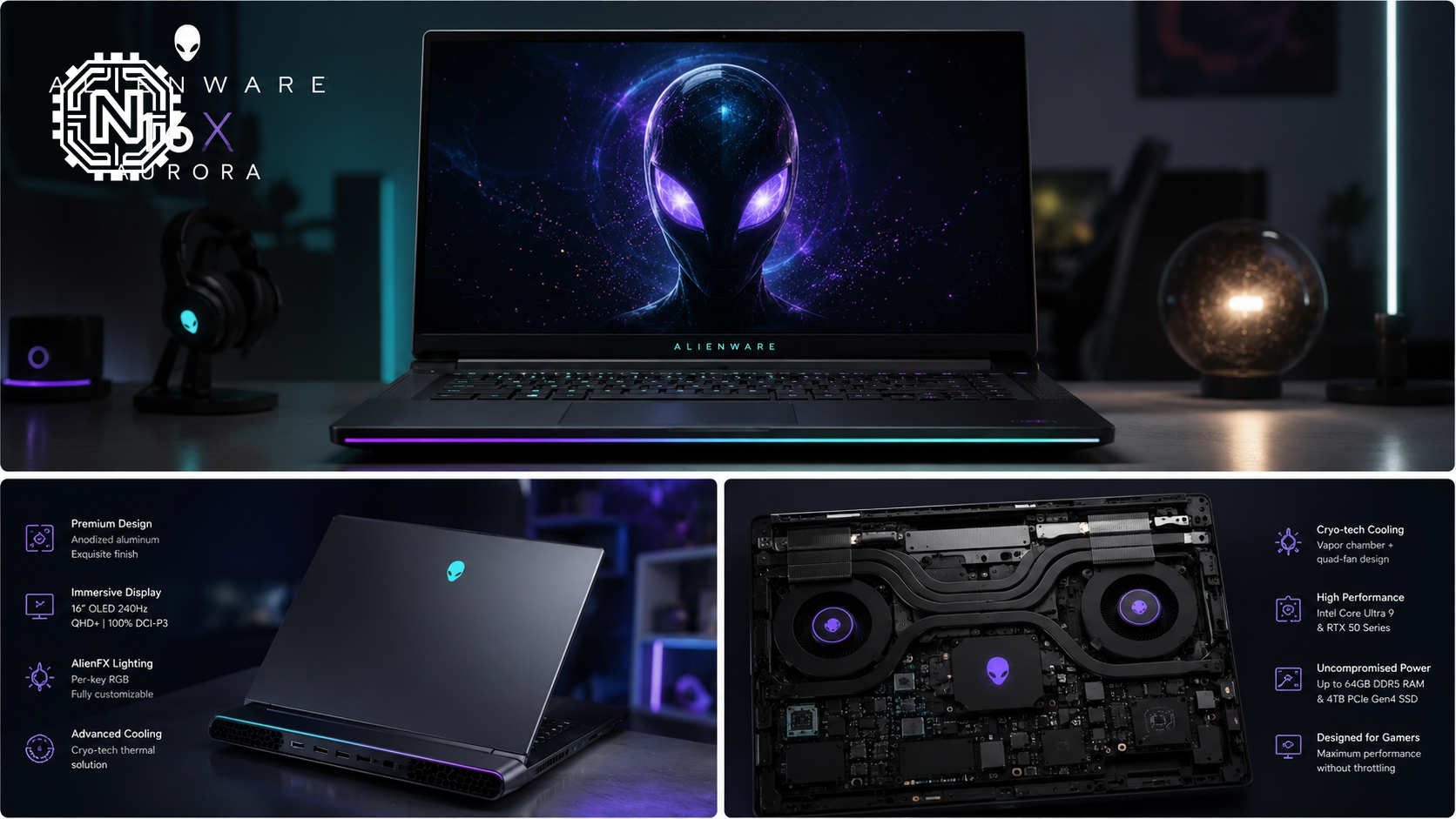
The laptop includes a full-size keyboard with a number pad and one-zone AlienFX RGB lighting. A 1080p HDR infrared webcam supports Windows Hello, while the dual-array microphones should be useful for calls and streaming.
240Hz OLED Display Review
The optional display is one of the strongest reasons to consider the 16X Aurora. It is a 16-inch WQXGA OLED panel with a 2560 × 1600 resolution, 240Hz refresh rate, 0.2ms response time and NVIDIA G-SYNC support.
Dell lists up to 120% DCI-P3 colour volume, HDR True Black 500 certification and approximately 620 nits of HDR peak brightness on its current OLED configuration. The anti-glare treatment is particularly useful because glossy OLED panels can become distracting in bright rooms.
Display Highlights
- Sharp 2560 × 1600 resolution with a productivity-friendly 16:10 ratio
- 240Hz refresh rate for esports and fast action
- OLED contrast with deep blacks and vibrant colour
- 0.2ms response time and NVIDIA G-SYNC
- Anti-glare coating for reduced reflections
Independent testing of earlier 16X Aurora configurations praised the display's colour reproduction and smoothness. The OLED version should be even more appealing for games, movies and creative work, although users should still follow Dell's OLED-care recommendations to minimise burn-in risk.
Gaming and Performance
The top configuration pairs Intel's Core Ultra 9 290HX Plus with an NVIDIA GeForce RTX 5070 Ti Laptop GPU. This combination is aimed at high-refresh 1440p gaming rather than basic Full HD use.
NVIDIA's Blackwell-based RTX 50-series graphics support DLSS, frame generation and ray-tracing features. In graphically intensive games, these technologies will be important for approaching the panel's native WQXGA resolution at high frame rates.
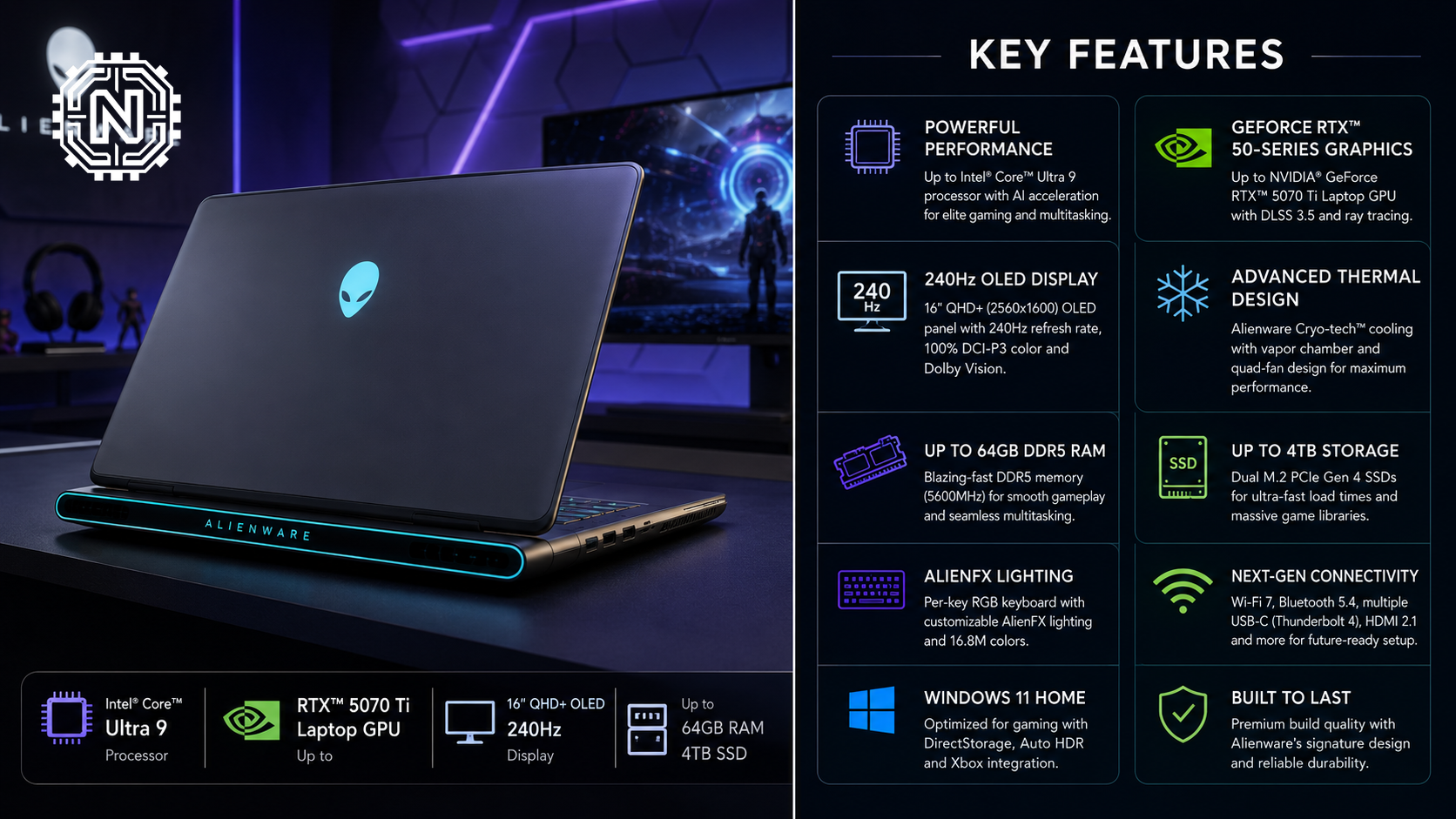
Reviews of the 16X Aurora platform describe it as a strong 1440p performer rather than a benchmark-breaking desktop replacement. That positioning makes sense: buyers who need RTX 5090-level power should consider the costlier Area-51 models, while the 16X Aurora prioritises a better balance of performance, display quality and size.
Up to 64GB of user-upgradeable DDR5 memory and up to 4TB of SSD storage make the laptop suitable for content creation, game development and heavy multitasking as well as gaming.
Cooling, Keyboard and Software
Dell uses its Alienware Cryo-Tech cooling system with a dedicated Cryo-Chamber that directs airflow toward the CPU and GPU. High-performance gaming laptops can become loud under load, so the cooling system's real value will depend on how well it controls temperatures without excessive fan noise.
Pressing the F7 key activates Stealth Mode, which switches the laptop to a quieter profile and changes the keyboard lighting for less distracting use in classrooms, offices or shared spaces.
Alienware Command Center 6 provides performance modes, thermal controls, lighting customisation and game-library management. The software is useful, although buyers should expect some preinstalled utilities alongside Windows 11.
Battery Life and Connectivity
The 96Wh battery is close to the practical limit for a laptop, but powerful HX processors, discrete graphics and a high-refresh OLED screen consume significant energy. Independent reviews of 16X Aurora configurations have reported roughly three to four-and-a-half hours in light video or mixed-use testing, depending on configuration and settings.
Battery performance during gaming will be considerably shorter, and full GPU performance requires the charger. Dell supports ExpressCharge, with official documentation listing approximately two hours for a full charge when the laptop is switched off and about 20 minutes to reach 35% using ExpressChargeBoost.
Port selection is practical for a desktop-style gaming setup, with separate connections for external displays, wired networking, storage and gaming accessories. The main omission for creators is a built-in memory-card reader.
Connectivity Highlights
- Two USB 3.2 Gen 1 Type-A ports for accessories and external storage
- One USB 3.2 Gen 2 Type-C port
- Thunderbolt 4 with DisplayPort 2.1 and Power Delivery
- HDMI 2.1 connected directly to the discrete graphics processor
- 1Gbps Ethernet, Wi-Fi 7 and Bluetooth 5.4
- 3.5mm universal audio jack
- No SD or microSD card reader
Alienware 16X Aurora Pros and Cons
✓ What We Like
- Excellent 240Hz WQXGA OLED display option
- Strong RTX 50-series QHD gaming performance
- Premium, relatively understated chassis
- Upgradeable memory and storage
- Useful Thunderbolt 4, HDMI 2.1 and Ethernet connectivity
- Stealth Mode for quieter non-gaming use
✕ What Could Be Better
- ₹2,62,990 starting price is expensive
- Approximately 2.6kg before adding the power adapter
- Battery life remains modest
- No SD or microSD card reader
- One-zone RGB keyboard is basic for the price
- Top configurations may overlap with more powerful competitors
Verdict: Should You Buy the Alienware 16X Aurora?
The Alienware 16X Aurora is a compelling premium gaming laptop for buyers who want an excellent OLED display, strong QHD gaming and Alienware's build quality without moving to the much heavier Area-51 range.
Its biggest problem is value. At a starting price of ₹2,62,990, buyers should compare the exact processor, GPU, display and memory configuration against alternatives from Lenovo Legion, ASUS ROG, MSI and Razer. The laptop makes the most sense when the selected configuration includes the OLED panel and a sufficiently powerful GPU.
Buy it for the 240Hz OLED display, premium design and balanced QHD gaming performance—not for long battery life or easy portability.
Newtechzy launch-review verdict
Recommended for: premium gamers, creators and users who mostly work near a power outlet.
Skip it if: you need all-day battery life, frequent portability or the highest possible performance per rupee.
Frequently Asked Questions
What is the Alienware 16X Aurora price in India?
The Alienware 16X Aurora starts at ₹2,62,990 in India. The final price depends on the selected processor, graphics, display, memory and storage configuration.
Does the Alienware 16X Aurora have an OLED display?
Dell offers a 16-inch WQXGA anti-glare OLED option with a 240Hz refresh rate, 0.2ms response time and NVIDIA G-SYNC.
Which graphics card does the Alienware 16X Aurora use?
Available configurations use NVIDIA GeForce RTX 50-series laptop graphics, with the refreshed model offering options up to the RTX 5070 Ti.
Is the Alienware 16X Aurora good for 1440p gaming?
Yes. Its WQXGA display and RTX 50-series GPU options are designed for QHD-class gaming, especially when DLSS and frame generation are used in demanding games.
Can the RAM and storage be upgraded?
The platform supports two DDR5 SO-DIMM memory slots and two PCIe Gen 4 SSD slots, although buyers should confirm service and warranty conditions before opening the laptop.
How long does the battery last?
Battery life varies significantly by configuration. Independent tests of 16X Aurora models have reported approximately three to four-and-a-half hours in light usage, with much shorter endurance during gaming.
Editorial Sources
Related Topics
Explore Newtechzy for verified product launches, detailed technology reviews and practical buying advice.
Explore Product Reviews


